
Media wall size guide
If you get the sizing right, your media wall feels calm and “meant to be there”. If you get it wrong, your TV sits too high, your sound feels boxed in, and the whole wall looks heavy. This guide gives you practical sizes you can use, plus simple checks you can do with a tape measure.
The quick sizing rules you can use today
Start with these. They prevent the common mistakes I see when people plan a media wall from a Pinterest photo, then realise their room does not match the scale.
-
Pick your seating position first, then size the TV to suit the viewing distance. SMPTE suggests a minimum viewing angle of 30 degrees. :contentReference[oaicite:0]{index=0}
-
For a more “cinema” feel, THX recommends a 36 degree viewing angle from the farthest seat. :contentReference[oaicite:1]{index=1}
-
Keep the TV centre close to your seated eye line, so you are not tilting your head up for two hours. This matters more than most people think.
-
Plan depth around real parts, not guesses. TV bracket, plug tops, cable bends, sockets, any recess, and (if fitted) fireplace clearances.
A handy rule for mixed viewing is aiming around a 30 degree field of view. Rtings explains this and even ties it to a simple distance-to-size relationship. :contentReference[oaicite:2]{index=2}
Choosing TV size from viewing distance
You do not need to overthink this. You just need a target viewing angle. A 30 degree minimum is a solid baseline. :contentReference[oaicite:3]{index=3} If you want a bigger, more immersive look, 36 degrees from the farthest seat is the THX recommendation. :contentReference[oaicite:4]{index=4}
Simple approach you can actually use: pick a range rather than a single “perfect” number. Your room layout, eyesight, and what you watch will always pull it slightly.
A practical table you can start from
The table below gives you a sensible starting point for common TV sizes. Use it to sanity-check your plan before you commit to the wall width and recess.
| TV size | Comfort zone distance | If you want it bigger in the room | What it means for media wall sizing |
|---|---|---|---|
| 55 inch | About 2.0m to 2.6m | Closer end feels more “cinema”, farther end feels calmer | Wall can stay compact, good for slimmer lounges |
| 65 inch | About 2.3m to 3.0m | Great balance for most UK living rooms | Allows shelving or a fireplace without feeling cramped |
| 75 inch | About 2.7m to 3.5m | Needs breathing room or it dominates | Wall width and depth planning becomes more important |
| 85 inch | About 3.1m to 4.0m | Works best in bigger rooms or open-plan spaces | Often needs a wider wall design to look intentional |
These ranges are meant as real-world planning help, not a rigid rule. If you want to lean on published guidance, SMPTE’s 30 degree minimum and THX’s 36 degree recommendation give you a solid baseline. :contentReference[oaicite:5]{index=5}

How wide should your media wall be?
Most people only size to the TV. That often creates the “TV stuck on a box” look. Width should make the TV look anchored, and it should leave room for sound and storage if you want it.
3 width options that always look deliberate
-
Option 1: TV-led width
Wall width sits only a little wider than the TV. Works when the room is tight or you want a minimal look. -
Option 2: TV plus side margins
Add visible space either side of the TV. This is where alcove-style shelves and lighting start to work without feeling cramped. -
Option 3: Full feature wall
Go wider than the TV by a clear amount and treat the wall as a room feature. Best when you want storage, shelves, or a fireplace and still want it to feel balanced.
A common mistake is matching the wall to the TV width exactly, then trying to squeeze shelves in later. You end up with shelves that are too narrow to be useful, so they become dust ledges.
If you are planning storage, read this next: Media wall storage solutions. It helps you decide whether you want open shelves, cupboards, or a clean face with hidden access panels.
How tall should the media wall be?
Height is where people get uncomfortable fast. TVs creep upwards, fireplaces take the bottom zone, and suddenly you are watching with your chin up. You can avoid it by setting the “viewing height” first, then fitting everything else around it.
Start with seated eye line
Sit on your main seat. Look straight ahead. That line is the anchor for the TV centre. If you put the centre too high, you feel it in your neck within ten minutes.
If you are adding a soundbar, height matters too
Dolby’s guidance for Atmos soundbars is clear. Mount the soundbar at, or slightly above, a seated listener’s ear level. :contentReference[oaicite:6]{index=6} Dolby also repeats the same idea in their general soundbar guidance. :contentReference[oaicite:7]{index=7}
This is why “TV above fireplace” layouts need planning. You are trying to keep the TV comfortable, keep the soundbar in a sensible place, and still leave the fireplace with the clearances the manufacturer asks for.
If you are weighing up whether a fireplace belongs in your design, this helps: Fireplace or no fireplace: pros and cons and Integrated fireplace.
How deep should the media wall be?
Depth is not about looks first. It is about making space for the parts you cannot “wish away”. If depth is wrong, you get crushed cables, plugs that do not fit, and awkward gaps you can see from the sofa.
What eats depth in real homes
-
TV bracket and tilt
Even a slim bracket needs space for the mount arms and the back of the TV to breathe. -
Plug tops and cable bend radius
HDMI and power leads hate tight bends. Plan a cable route that lets them curve, not kink. -
Recessed TV look
If you want the TV flush, you still need space behind it for cabling and airflow. -
Fireplace cassette and clearances
If you add an electric fire, you must follow that model’s manual for clearances and airflow. Do not wing it.
If you are unsure where everything should sit, do this quick exercise.
Put masking tape on the wall for your TV outline. Tape a second outline for the soundbar. Tape your fireplace opening if you want one. Step back to your main seat and check three things.
-
Does the TV centre sit close to your natural eye line?
-
Does the soundbar sit in a place that makes sense for your ears? :contentReference[oaicite:8]{index=8}
-
Does the overall wall still look balanced, not top-heavy?
For the wiring side, link your plan with: planning sockets and wiring and hiding cables. You will save yourself a lot of “we need to open it back up” moments.
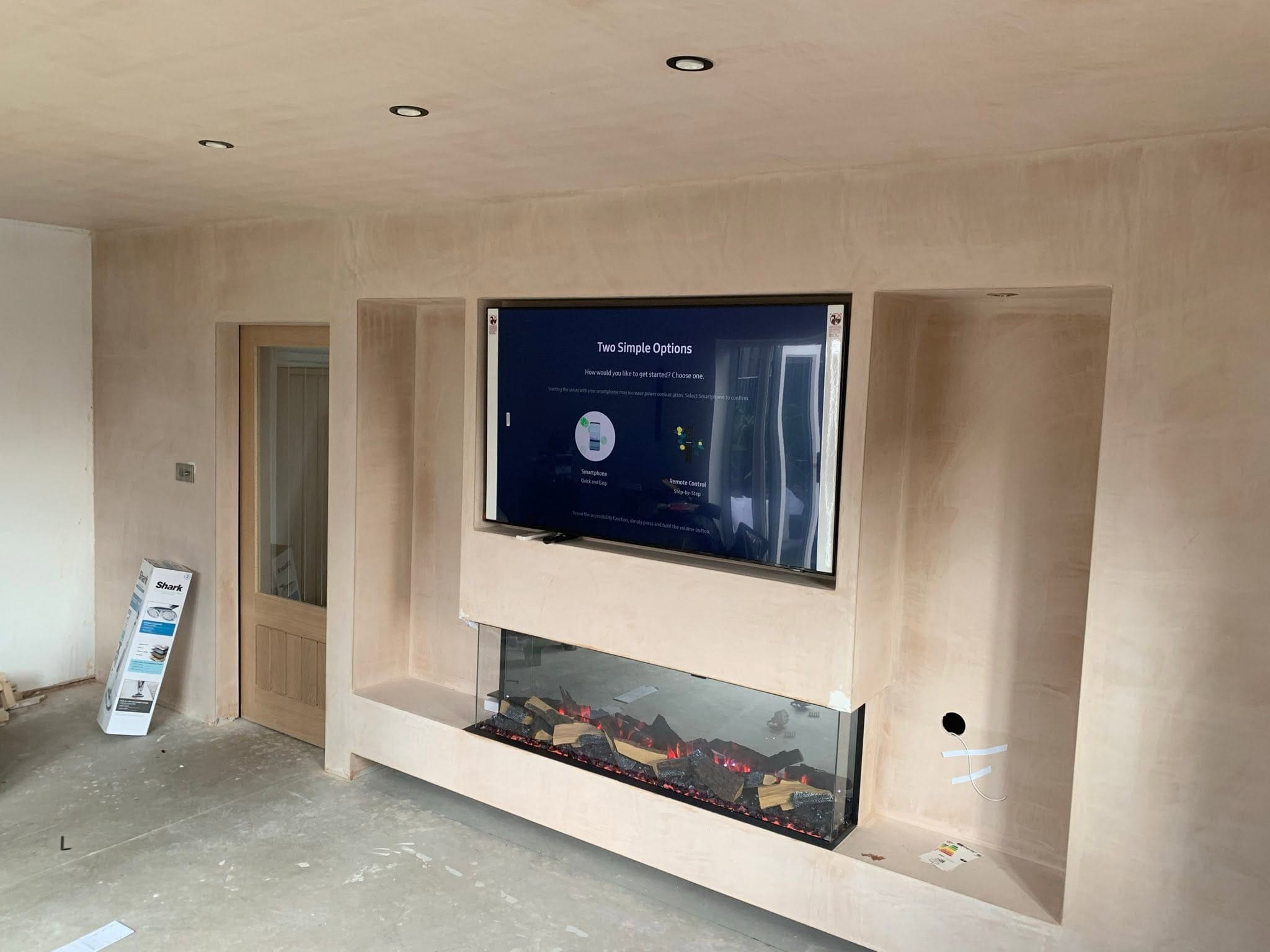
Worked examples you can copy
Here are three common setups. Use them as a blueprint, then tweak to your room. This is the bit people usually message me about after they have bought the TV. Better to do it now.
Example 1: 55 inch TV in a smaller lounge
Keep the wall width modest so the room stays open.
Prioritise TV height and cable routes. Avoid oversized side shelves.
If you want a fireplace, consider a compact model and keep the TV comfortable first.
Example 2: 65 inch TV as the “sweet spot”
Give the TV clear margins so it looks framed, not squeezed.
Soundbar under the TV works well at sensible listening height. :contentReference[oaicite:9]{index=9}
Storage becomes useful here. You can hide boxes, routers, and games consoles.
Example 3: 75 inch TV where scale matters
Make the wall clearly wider than the TV, so it looks planned.
Depth planning becomes non-negotiable. Allow room for cables and airflow behind the screen.
Check viewing distance. Larger screens suit THX’s wider angle guidance well when the room allows it. :contentReference[oaicite:10]{index=10}
FAQ
Should the media wall be wider than the TV?
Usually yes, if you want it to look built-in rather than “TV on a box”. If space is tight, a TV-led width can still work, but keep the detailing clean and avoid tiny shelves.
Can I set the TV lower if I am adding a fireplace?
You can, but you must still follow the fireplace manufacturer’s clearances and airflow requirements. Plan the full stack early so you do not end up pushing the TV too high to “make it fit”.
Where should my soundbar sit in the wall?
Aim for ear level when seated, or slightly above, which is Dolby’s setup guidance for Atmos soundbars. :contentReference[oaicite:11]{index=11} If you box it in behind a lip, you risk muffling dialogue.
What post should I read next if I am budgeting?
Start with Media wall cost in the UK pricing guide, then compare expectations against DIY media wall vs professional install.
Ready to plan your wall properly?
If you want a media wall that fits your room and your TV, start with the service page, then use the wiring and cable guides to lock the plan down.
View TV media wallsUseful next reads: Sockets and wiring, Cable hiding, Storage solutions.